Data Recording & Forms
The forms are the audit's memory. This section specifies the complete form system — what each form records, field by field — together with the data-entry workflow that turns a clipboard of field sheets into an analysis-ready dataset, and the conventions that keep that dataset trustworthy a year later. The governing principle throughout: every value is written once, at the moment it is known, on the form that says where it goes next.
The form system
Ten forms carry the audit from design through analysis. Five are field data forms completed on sort day (F-01 through F-05); the others support design, safety, and logistics and are specified in their home sections. Each form names its owner — the person responsible for its completeness at day's end.
| Form | Purpose | Completed by · when | Feeds |
|---|---|---|---|
| F-00 · Audit Design Brief | Objective, frame, samples, seasons, category list version, QA tolerances | Lead · during design (§02) | Every other form; the report's methods section |
| F-01 · Pre-Audit Site Survey | Site profile: streams, containers, hauler schedule, access, occupancy sources | Lead · site visit before sort day | F-02 sample plan; §05 site plan; generation-rate denominators |
| F-02 · Sample Tracking Log | One line per sample: chain of custody from collection to sort floor | Supervisor · continuously | F-03 headers; the report's sample inventory |
| F-03 · Category Weight Tally | The core dataset: tares, gross weights, category nets, mass balance | Weigher/recorder · per sample | All of §09; the emissions workbook via the §06 crosswalk |
| F-04 · Observations & Rulings Log | Category rulings, set-asides, moisture/weather notes, anything that explains the numbers | Supervisor · as events occur | §09 flags; the report's observations section |
| F-05 · Photo Log | Photo number ↔ sample ID ↔ subject | Camera operator · per photo | Report figures; audit archive |
| F-06 · Job Hazard Analysis | Safety — specified in §04 | ||
| F-07 · Incident & Near-Miss Report | Safety — specified in §04 | ||
| F-08 · Equipment & Packing Checklist | Logistics — specified in §05 | ||
| F-09 · Category Reference Cards | Definitions — specified in §06 | ||
How data flows
The five field forms, field by field
F-01 · Pre-Audit Site Survey
Completed during the §02 site visit, before the crew is booked. Records: site identity and contacts (name, address, host contact, emergency contact); the waste system as found (streams present; container inventory — type, count, size, location; hauler and collection schedule; compaction equipment); access and logistics (delivery route, sort-area options, water and power, washrooms); occupancy denominators and their sources (employees, households, beds, enrolment — and who provided the number); and the host facility's site rules. A photographed container inventory doubles as the "before" record for §11.
F-02 · Sample Tracking Log
One line per sample, opened when the sample is collected and closed when its sort is complete. Fields: sample ID (the anonymized key that appears on every downstream record); source (building, department, route segment, or household-group code — never a street address on the sort floor); stream; generation period (start/end date-time); collection date-time and by whom; arrival condition (intact, leaking, unlabelled); gross weight and time; sub-sampling note if coned and quartered (retained fraction); sort status; and disposal confirmation. The log is the chain of custody — a sample without a complete F-02 line is excluded (§07).
F-03 · Category Weight Tally
The core data sheet, one page per sample. The header carries audit ID, date, sample ID (from F-02), category list version (from F-00), recorder's name, and the day's scale verifications. The body is the pre-printed category list — code, name, container tare, gross reading, net weight — in the fixed order of the §06 reference list, so the sheet reads in the same order the bins sit around the tables. The footer computes the sum of nets, records the sample's gross from F-02, and states the mass-balance result. A filled example:
| Code | Category | Tare (kg) | Gross (kg) | Net (kg) |
|---|---|---|---|---|
| R-01 | Corrugated cardboard (OCC) | 1.8 | 9.4 | 7.6 |
| R-03 | Mixed paper | 1.8 | 12.1 | 10.3 |
| R-07 | PET bottles (#1) | 1.6 | 4.9 | 3.3 |
| R-10 | Film & flexible plastics | 1.6 | 6.8 | 5.2 |
| O-01 | Food waste | 2.1 | 31.6 | 29.5 |
| W-03 | Hygiene products | 1.8 | 8.3 | 6.5 |
| W-05 | Other residual | 1.8 | 13.9 | 12.1 |
| S-03 | Household hazardous | — | — | 0.0 |
| Sum of category nets | 74.5 | |||
| Sample gross (F-02) | 76.8 | |||
| Mass balance · |76.8 − 74.5| ÷ 76.8 = 3.0% | PASS ≤5% | |||
F-04 · Observations & Rulings Log
The narrative record, kept by the supervisor: numbered category rulings (item, decision, rationale — applied for the remainder of the audit, §06); set-asides under the §04 protocol (what, where found, disposition); moisture and weather events with times; deviations from the design brief (categories collapsed, samples held overnight) with reasons; and anything unusual that later readers of the data would want to know. Each entry carries a time and the sample ID in progress. In analysis, F-04 entries become the flags column of the dataset — the difference between an anomaly and an error is usually an F-04 entry.
F-05 · Photo Log
One line per photograph: sequential photo number, sample ID (or "site"), subject, and photographer. The convention that makes it work: the sample tag is physically in frame for every sample photograph, and the log is written at the moment of capture, not reconstructed. Minimum photo set per audit: site before setup; every spread pile with tag; each set-aside item; every completed form at day's end; site after teardown.
Paper or tablet
Both work; the failure modes differ. Paper survives rain (with pencil), gloves, glare, and dead batteries, and its per-sample sheet structure enforces the one-sample-at-a-time discipline; its cost is a transcription step. Tablets remove transcription and can validate as they go (sum checks, required fields), but demand offline-capable forms, weather protection, a charging plan, and a glove-compatible screen — and a synchronized backup at day's end, since a lost tablet without sync is a lost audit. The working recommendation: paper as the default for field robustness, using digital forms only where the crew has field-tested them, and in either case the same field names and codes throughout, so entry is a transfer, not a translation. Whichever medium: record at the moment of measurement — numbers held in heads between scale and sheet are where transposition errors live.
From forms to dataset
Data entry happens within the week, while the crew's memory can still resolve ambiguities. The recommended structure is one workbook per audit event with four sheets mirroring the four field forms — Samples (one row per F-02 line), Weights, Rulings (F-04 entries), and Photos (F-05) — plus a read-only copy of the category list version used. The Weights sheet is entered in long format: one row per sample × category, not a grid. Long format enters faster from per-sample tally sheets, pivots into any summary §09 needs, appends cleanly across samples and events, and exports directly to the 73-material emissions workbook through the §06 crosswalk codes.
| audit_id | event | stratum | sample_id | stream | category_code | net_kg | flag |
|---|---|---|---|---|---|---|---|
| MAPLE-2026 | S1 | SF | S1-G-07 | garbage | R-01 | 7.6 | |
| MAPLE-2026 | S1 | SF | S1-G-07 | garbage | O-01 | 29.5 | F-04 #3 (wet) |
| MAPLE-2026 | S1 | SF | S1-G-08 | garbage | R-01 | 4.1 |
Entry is verified before analysis begins: a second person reads the entered values back against the form photographs (or the forms), and every sample's mass balance is recomputed in the workbook — a transcription error announces itself as a balance that passed in the field and fails in the file. The raw forms and their photographs are retained unchanged for the audit's retention period (in Ontario, audit records are retained and producible on request under O. Reg. 102/94); corrections happen in the workbook with a note, never on the original.
Conventions that prevent quiet corruption
- Units. Kilograms, one decimal place, everywhere — forms, workbook, exports. A single sheet in pounds contaminates every roll-up it touches.
- Zeros and blanks mean different things. 0.0 = weighed, nothing there. Blank = not measured. "—" = not in this audit's category list. The analysis treats them differently (§09), so the forms must too.
- Identifiers. One naming scheme, set in F-00: AUDIT-EVENT-STREAM-## (e.g., MAPLE-2026-S1-G-07). The sample ID is the join key across every form and sheet — it is never reused, even for a rejected sample.
- No derived values in field records. Forms carry measurements; percentages, rates, and totals are computed in the workbook where their formulas are inspectable. The one exception is the field mass balance, which exists to be recomputed at entry.
- Version everything. The category list version on every F-03; the workbook saved with date-stamped filenames; the design brief updated, not overwritten, when the plan changes mid-audit.
Print the field sheets
Each form below is the real PDF. Click the sheet or the button to download it. The complete pack and the analysis workbook are one click further.
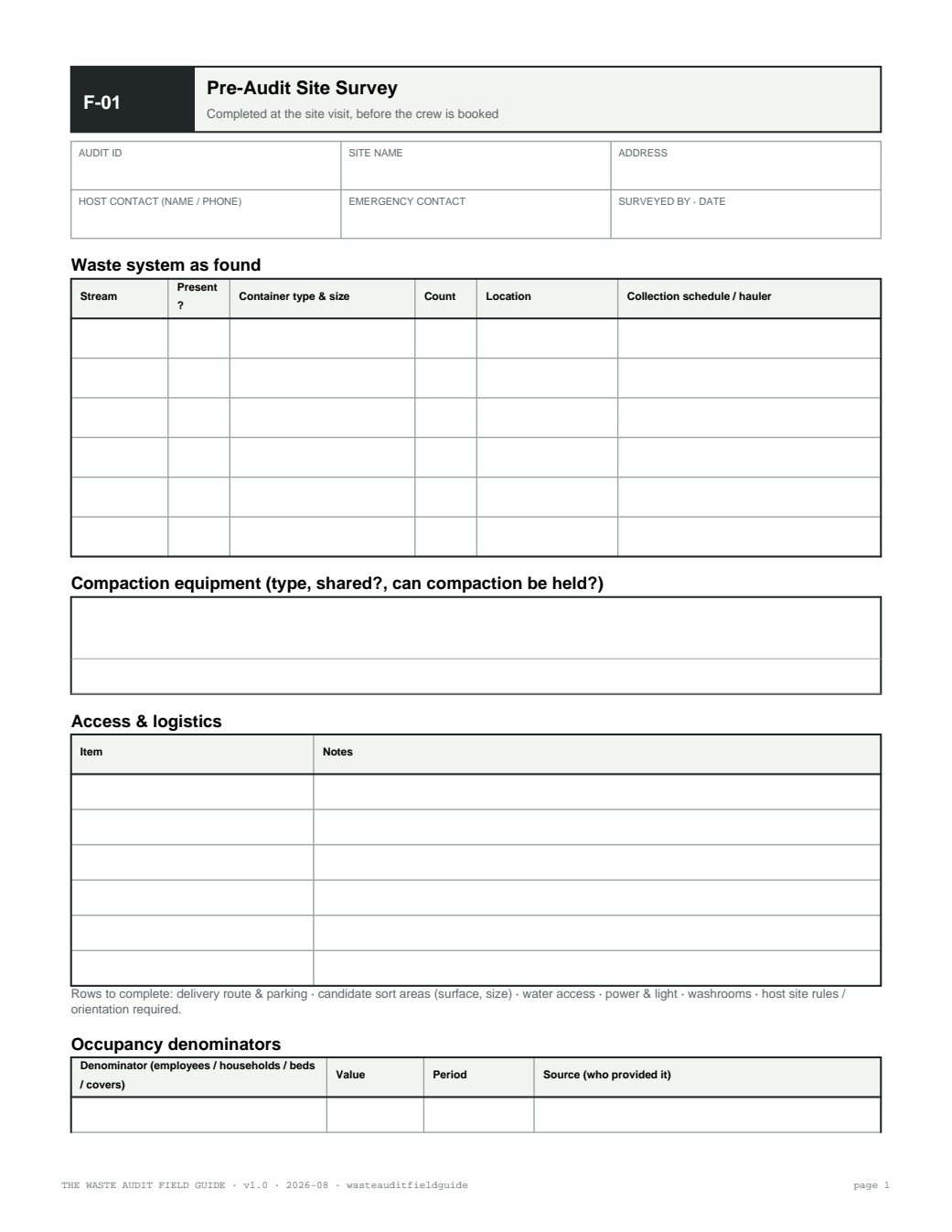
F-01 · Pre-Audit Site Survey
Building and route profile, streams, container inventory, hauler schedule, access notes.
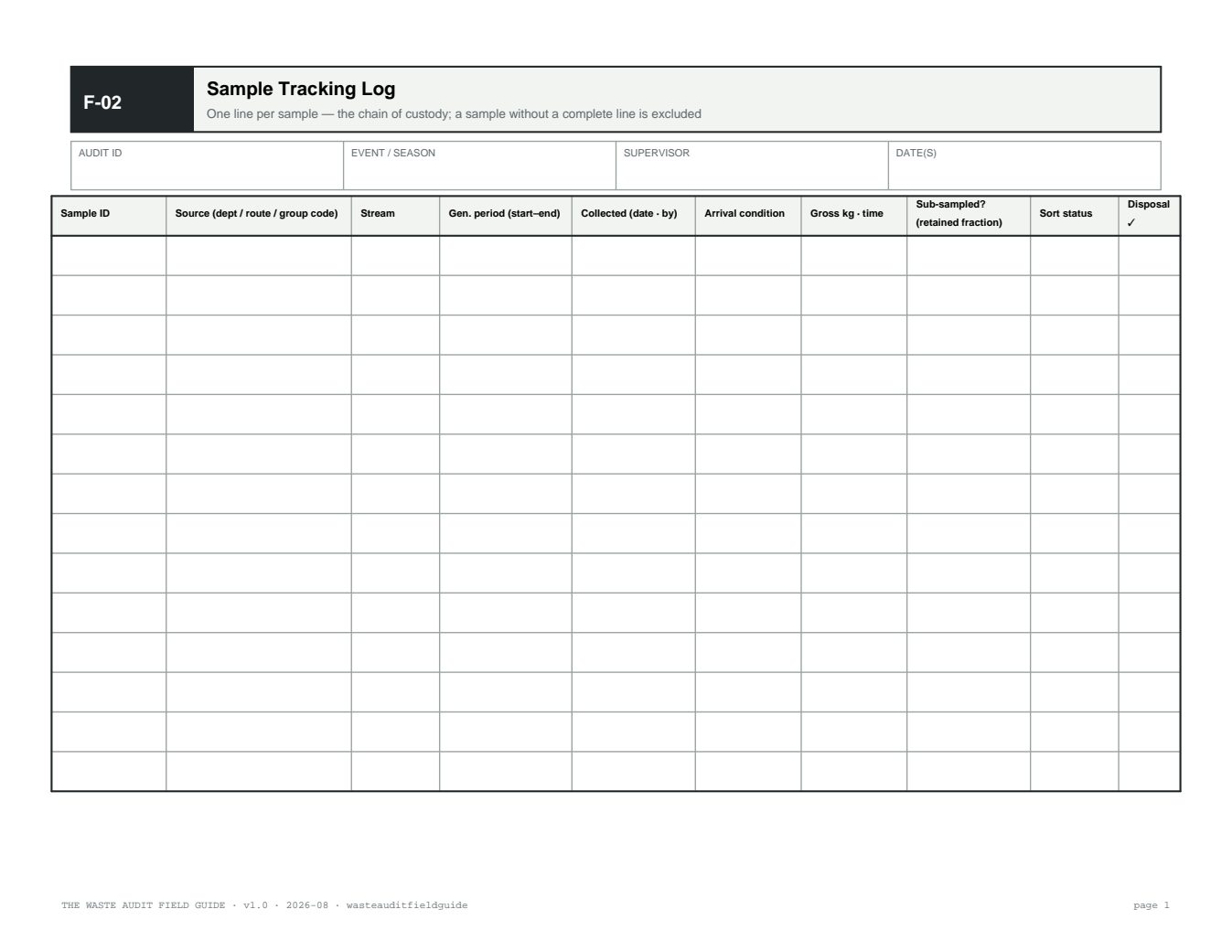
F-02 · Sample Tracking Log
One line per sample: ID, source, stream, generation period, gross weight, chain of custody.
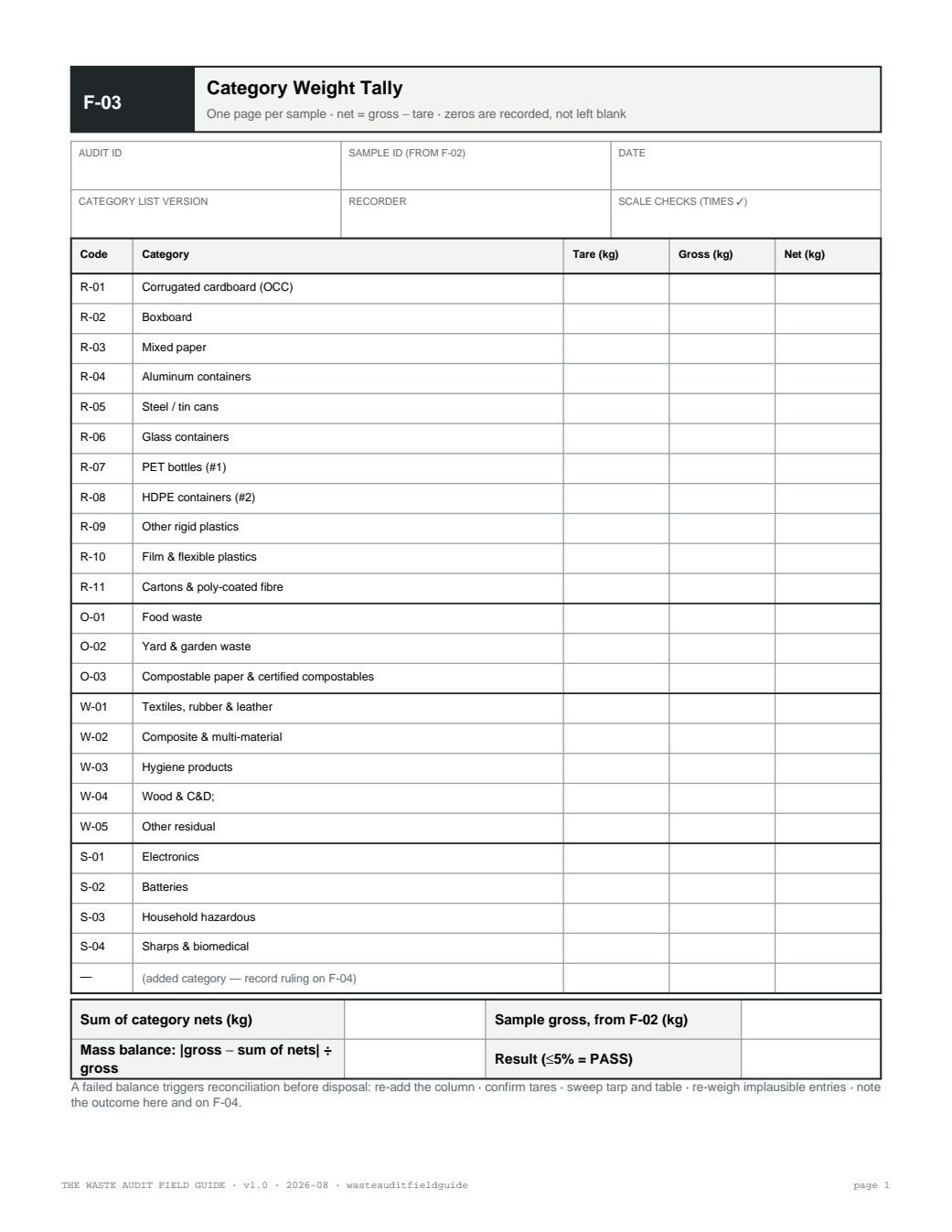
F-03 · Category Weight Tally
The core data sheet: category × sample matrix of net weights, tares, and the mass-balance check row.
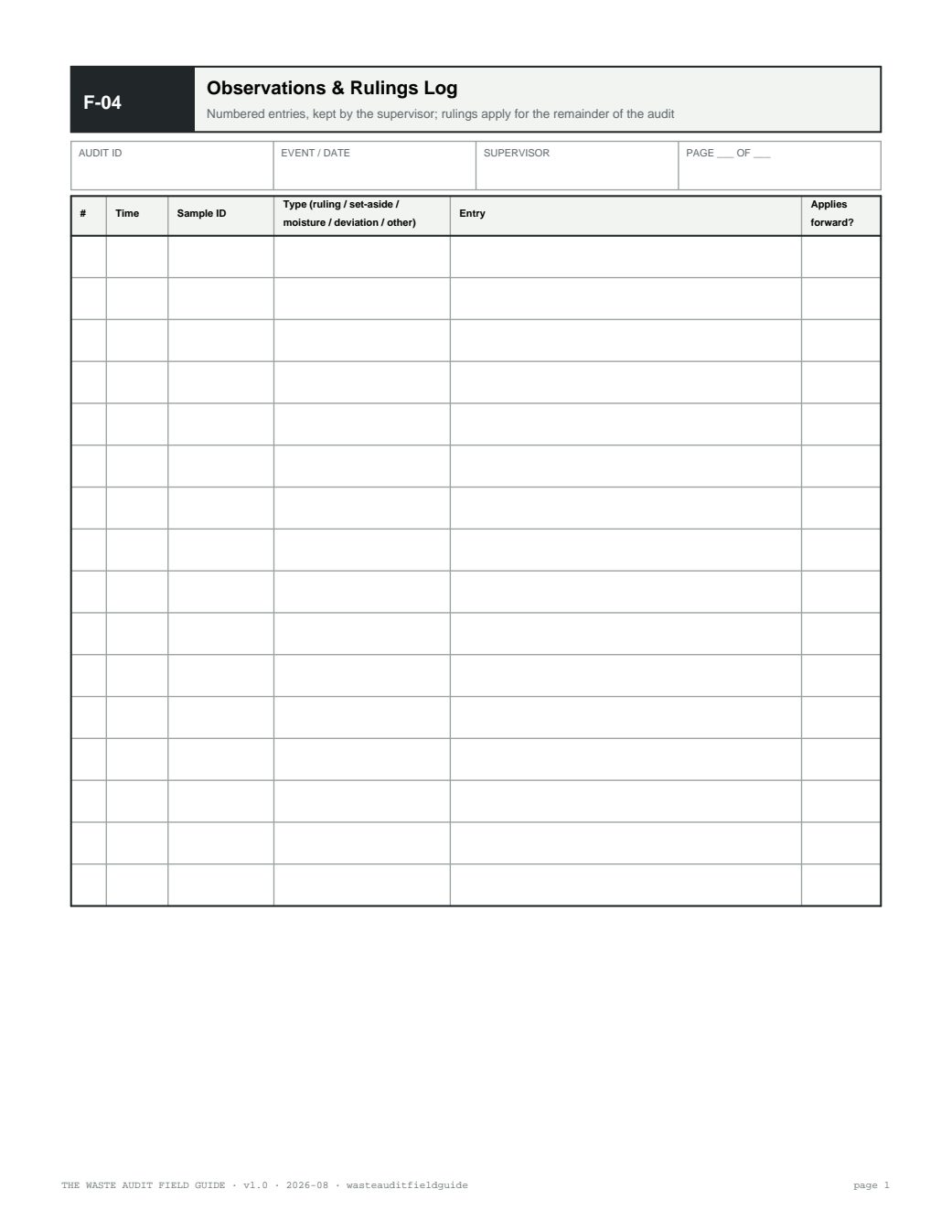
F-04 · Observations & Rulings Log
Contamination, edge-case rulings, safety set-asides — anything that explains the numbers later.
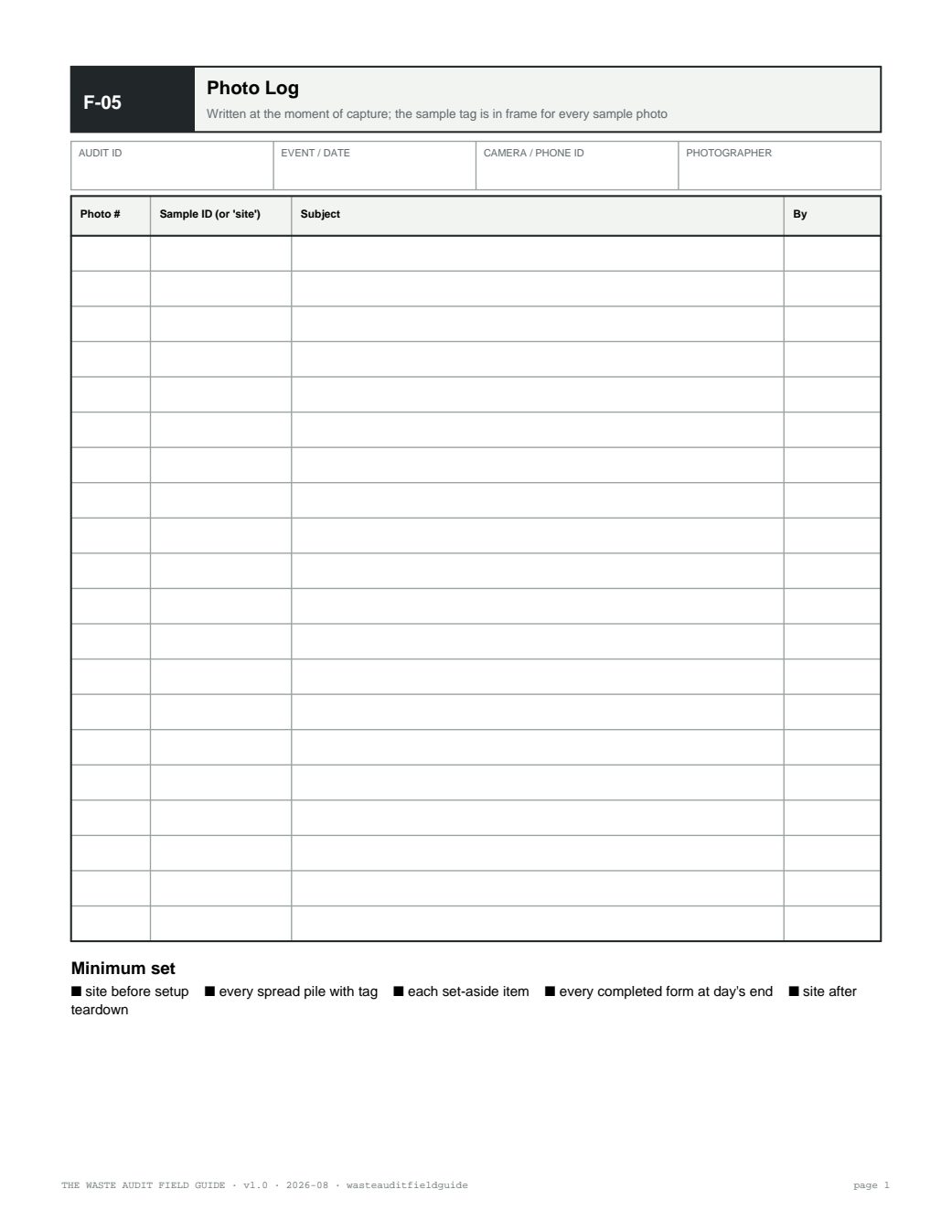
F-05 · Photo Log
Photo number ↔ sample ID ↔ subject. Unlabelled photographs lose their evidentiary value quickly.
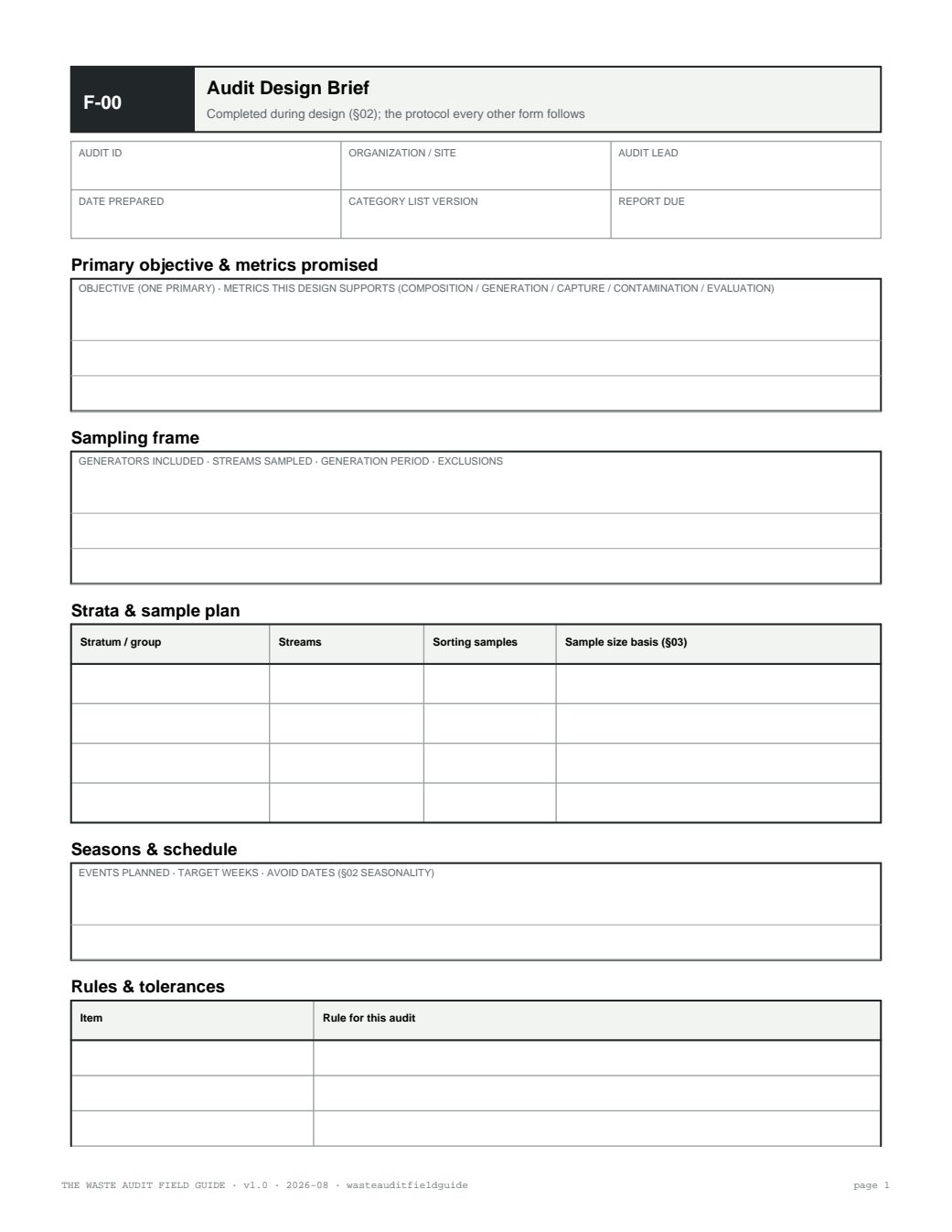
Complete forms pack
F-00 through F-09 plus the briefing script, one file for pre-sort printing.
Sources & further reading
- Ontario — O. Reg. 102/94 (retention and production of audit records) and the Ministry's audit guide (record-keeping practice)
- ASTM International — D5231-92(2016) (data recording and reporting requirements for composition testing)